Brand guidelines
Accessible Thinking brand guide.
The visual identity, tone of voice, and style guidelines for the Accessible Thinking brand.
Brand Identity
What we stand for
Accessible Thinking operates at the intersection of AI and accessibility. Our mission is to ensure that as AI reshapes our world, disabled people are not left behind — and are, in fact, empowered by it.
The name encodes the whole thesis:
- Accessibility is the people dimension — lived experience, the disability perspective, the humans at the receiving end of AI systems.
- Thinking is the technology dimension — how AI systems work, how they fail, how they can be evaluated and improved.
"AT" also echoes the well-known abbreviation for "Assistive Technology". The elephant mark represents the "elephant in the room" in AI conversations: the experiences of disabled people.
Values
- Inclusion by design — Accessibility isn't an add-on. It's how we think, and how we work, right from the start.
- Rigour — Evidence and real-world experience underpin all our advice. We know what works — and we can prove it.
- Nothing about us without us — Disabled perspectives are integral to all our work — they don't just inform it, they are woven into it.
- Urgency — AI is moving fast, and those traditionally excluded pay the highest price when we delay making it responsible and inclusive.
- Progress you own — Our goal is to move your business forward and, ultimately, make our own role unnecessary.
- Building solutions — We don't just find problems. We build solutions that last, and leave your team stronger.
Company details
- Trading name:
- Accessible Thinking
- Legal entity:
- The Hip Bit Ltd
- UK company number:
- 12102775
- Website:
- accessiblethinking.com
Visual Identity
Icon: The Elephant Mark

A minimalist, silhouette-style icon conveying stability, wisdom, and approachability.
Visual characteristics
- Form: A stylized, solid black silhouette of an elephant in profile, facing right.
- The Ear: A single, sweeping white crescent curve that creates a sense of depth and movement.
- The Eye: A perfectly circular white dot positioned for a friendly, alert expression.
- Geometry: Soft, rounded terminals on the legs and trunk, avoiding sharp angles.
- Stance: Four sturdy, columnar legs reinforcing the brand's pillars of reliability and strength.
Note: The icon should always be presented in a high-contrast format. The internal negative space details (eye and ear) must remain distinguishable.
Primary Logo Lockup
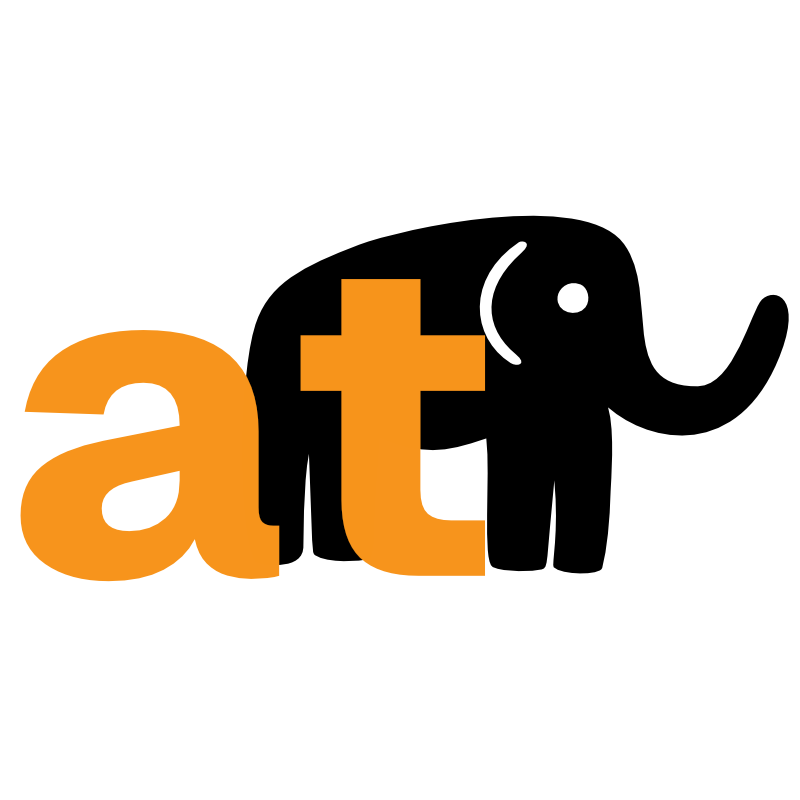
An integrated lockup combining the Elephant Mark with a bold, lowercase wordmark. The orange "at" sits in the foreground; the elephant is positioned behind the "t".
Execution guidelines
- The orange "at" must always sit in the foreground. The elephant must never obscure legibility.
- The baseline of the letters aligns with the base of the elephant's feet.
- Maintain a buffer zone equal to the width of the letter "a" stem around the entire lockup.
Note: Do not re-color the orange "at" to any colour outside the brand palette — it is the primary signifier of our "Accessible" identity.
Colours
Primary palette
Background
#ffffff
Foreground
#1e1f29
Primary
#1e1f29
Primary fg
#ffffff
Secondary palette
Secondary
#f4f4f5
Secondary fg
#18181b
Muted
#f4f4f5
Muted fg
#616467
Accent palette
Highlight
#f7941c
Highlight fg
#1e1f29
Highlight hover
#ffa742
Border
#e4e4e7
Ring
#18181b
Dark mode
Background
#1e1f29
Foreground
#f4f4f5
Secondary
#27293a
Border
#3f3f46
Contrast note: The highlight colour #f7941c on white achieves approximately 3.1:1 contrast ratio. This meets the WCAG AA requirement for large text and UI components (3:1 minimum). It does not meet the requirement for normal body text, which needs 4.5:1 — for that, use the darker variant #c2410c (5.1:1).
Typography
Font stack
Sans-serif
Geist Variable
Fallback: system-ui, -apple-system, sans-serif
Monospace
Geist Mono
Fallback: ui-monospace, monospace
Type scale
H1 — Bold 700 — 4xl–5xl
Heading one
H2 — Bold 700 — 3xl–4xl
Heading two
H3 — Semibold 600 — xl–2xl
Heading three
Body — Regular 400 — lg–xl
The quick brown fox jumps over the lazy dog. Evidence and real-world experience underpin all our advice.
Small — Regular/Medium — sm (0.875rem)
Smaller text for captions, labels, and secondary content.
Heading rules
- Letter-spacing:
-0.02em - Line-height:
1.2 - Font-weight:
600(semibold)
Tone of Voice
Guiding principles
Authoritative but approachable
We know our stuff. We don't talk down to people. We're the practitioner who explains clearly and respects your intelligence.
Direct
We say what we mean. No filler, no buzzwords, no hedging. If there's a problem, we name it. If there's a solution, we describe it plainly.
Grounded in evidence
We back claims with specifics. "We can prove it" isn't just a value — it's how we write.
Human
We're talking to people, not organisations. Use "you" and "we". Avoid corporate-speak.
Urgency without alarmism
AI is moving fast. That's a fact. We convey urgency through clarity, not scaremongering.
Example transformations
| Instead of... | Write... |
|---|---|
| "Leveraging AI-powered solutions to optimise your accessibility posture" | "Using AI to make your product work better for disabled people" |
| "We are excited to announce" | "We've added" or just get on with it |
| "Please do not hesitate to reach out" | "Get in touch" |
| "At this moment in time" | "Now" |
| "In order to" | "To" |
| "Utilise" | "Use" |
Style Guide
Spelling
UK English throughout. Common examples:
Capitalisation
- Accessible Thinking — always capitalise the full brand name when first used. "the company" or "we" in subsequent references.
- Headings — capitalise the first word and proper nouns only.
- "AI" — always capitalise. Never "ai" or "Ai".
- "WCAG" — all caps, no periods.
- Job titles — only capitalise when preceding a name. "the director" but "Director Sarah Jones".
Numbers
- Spell out one to nine. Use numerals for 10 and above.
- Use numerals for measurements and data: "5 people", "10% increase", "2-day course".
- Percentages: "10%" (numeral + % symbol).
Dates
Use the format: 1 April 2026 (day month year, no ordinal suffix, no commas).
Contact details
- Email:
- contact@accessiblethinking.com
- Website:
- accessiblethinking.com
- LinkedIn:
- linkedin.com/company/accessiblethinking
Technical Notes
Stack
- Framework:
- Astro (static output, Netlify SSR adapter)
- Styling:
- Tailwind CSS v4 with Basecoat CSS, custom CSS variables
- Icons:
- Lucide (via @lucide/astro)
- Fonts:
- Geist Variable + Geist Mono via @fontsource
- Hosting:
- Netlify
Colour implementation
Colours are defined as CSS custom properties insrc/styles/global.css under the @themeblock. This allows Tailwind utilities to reference them and enables dark mode via a [data-theme='dark']selector that overrides the root variables.
Need these brand assets?
If you need access to brand files or have questions about usage, get in touch.
Contact us